PgServerTool is a control panel you open in your browser, for people who run their own servers and for small hosting companies. It does two things most panels don’t: every hosting account comes with its own PostgreSQL database, ready to use, and the server tells you who visits your sites without Google Analytics, from its own logs.
It is free software under the GNU GPL v3. Version 0.1 is out: it has been tested on Ubuntu 24.04 in a test virtual machine, but not yet on a production server, so treat it as an early release. Download it or read the source.
Why PgServerTool exists
Many shared hosts give every customer MySQL and nothing else; PostgreSQL usually means renting a whole virtual server. And knowing who visits a website usually means putting Google’s script on every page and reading the numbers on Google’s site. PgServerTool takes both back to the server you already run.
What it does
Visitors, without Google
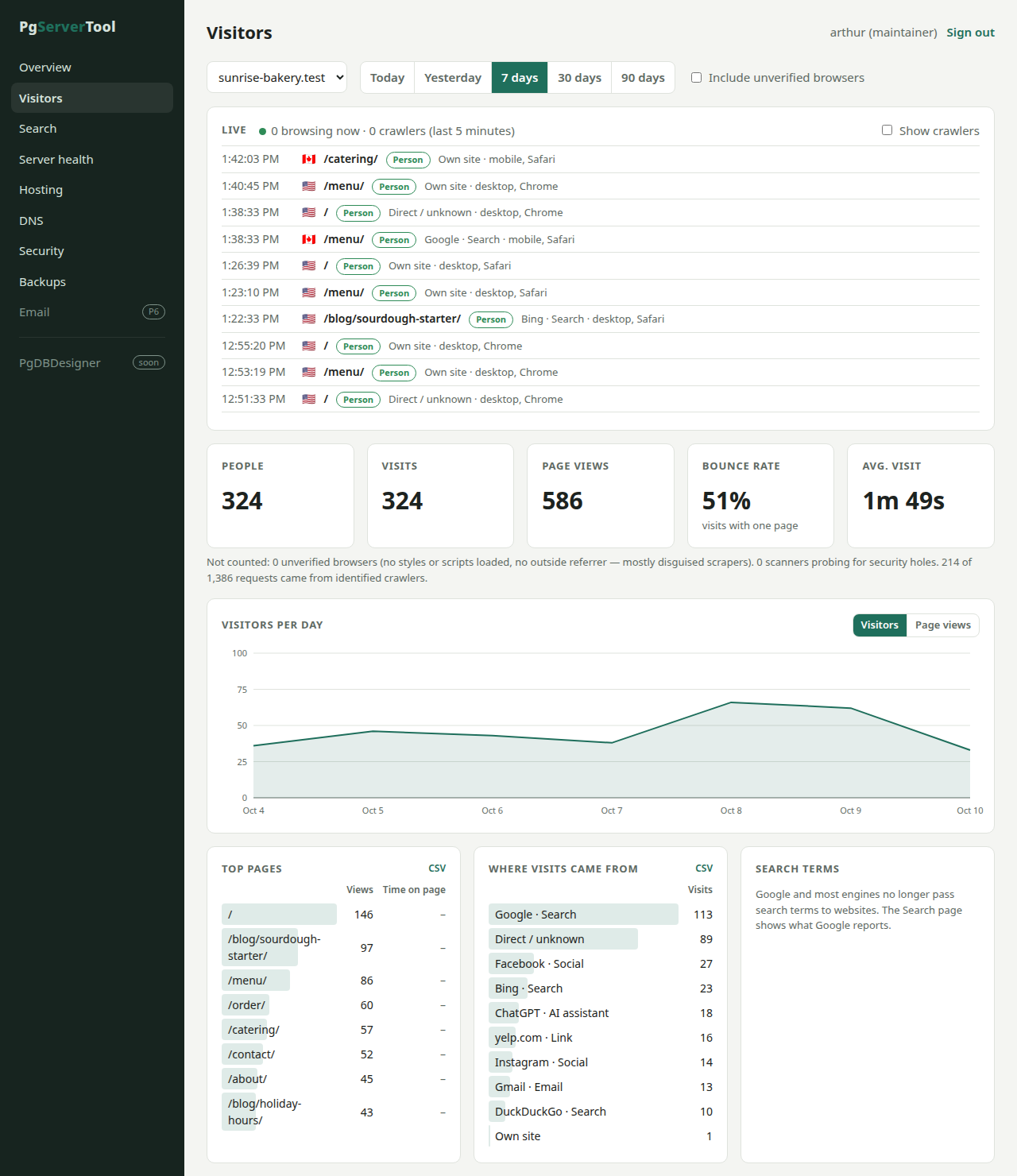
Statistics come from the web server’s own access log: no cookies, no third-party script. It tells people from crawlers and from the scanners that probe every site for security holes, and shows where visits came from (search engines, AI assistants like ChatGPT, social sites, email, campaigns), pages, countries, devices and a live view. If you use Google Search Console, the panel pulls its search queries in too, so you don’t have to visit Google to see them.
Hosting accounts with PostgreSQL
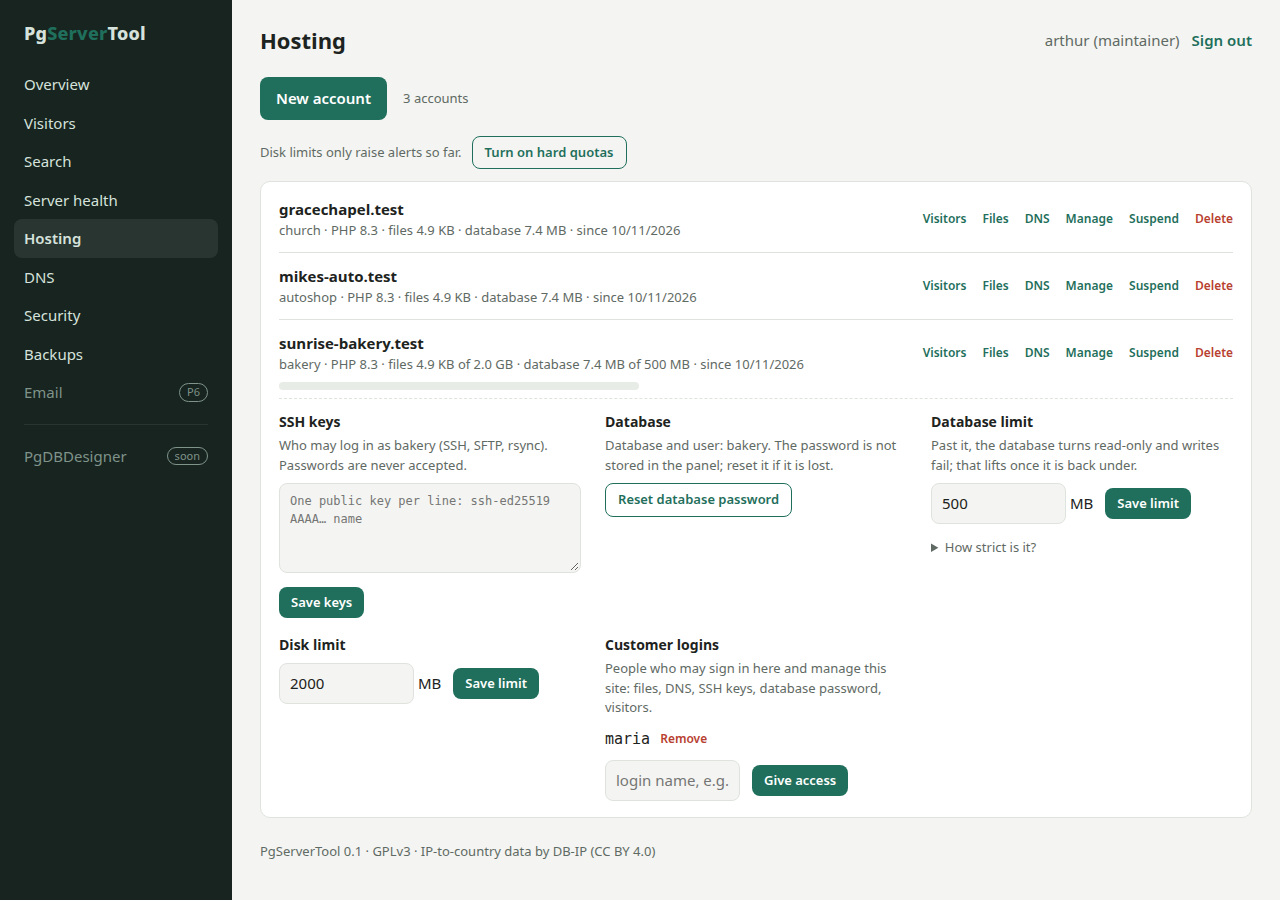
An account is a Linux user with a website, PHP running as that user, and a PostgreSQL database and role of its own. Customers can’t see each other’s files or databases. Each account can have SSH keys, a disk limit enforced by the kernel, and a database size limit.
DNS, files and a customer portal
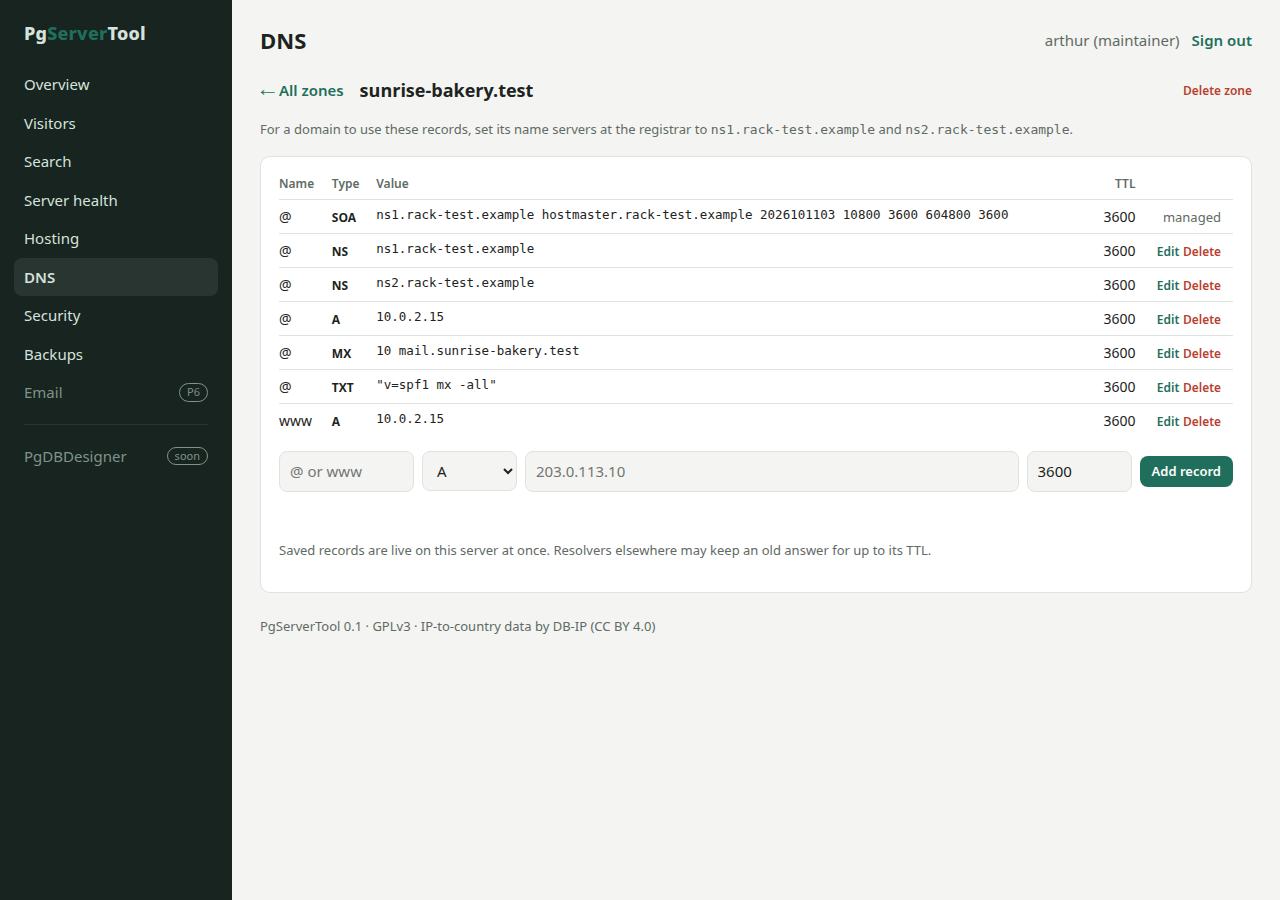
Domains are served by PowerDNS straight from PostgreSQL, so a record you save is live at once. A file manager uploads, edits and restores files. Your hosting customers can sign in and manage their own sites, and only their own.
Server health, security and backups
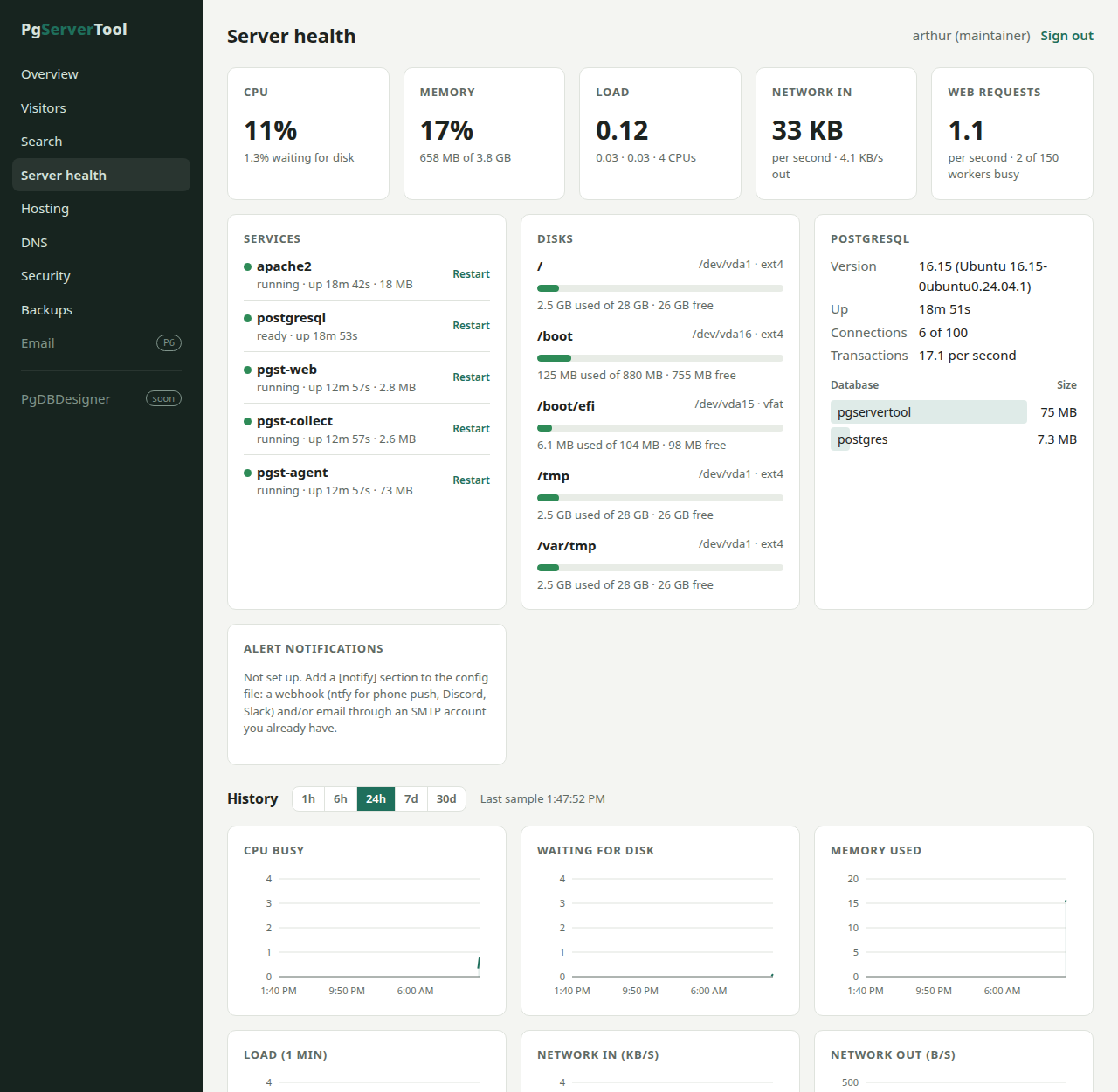
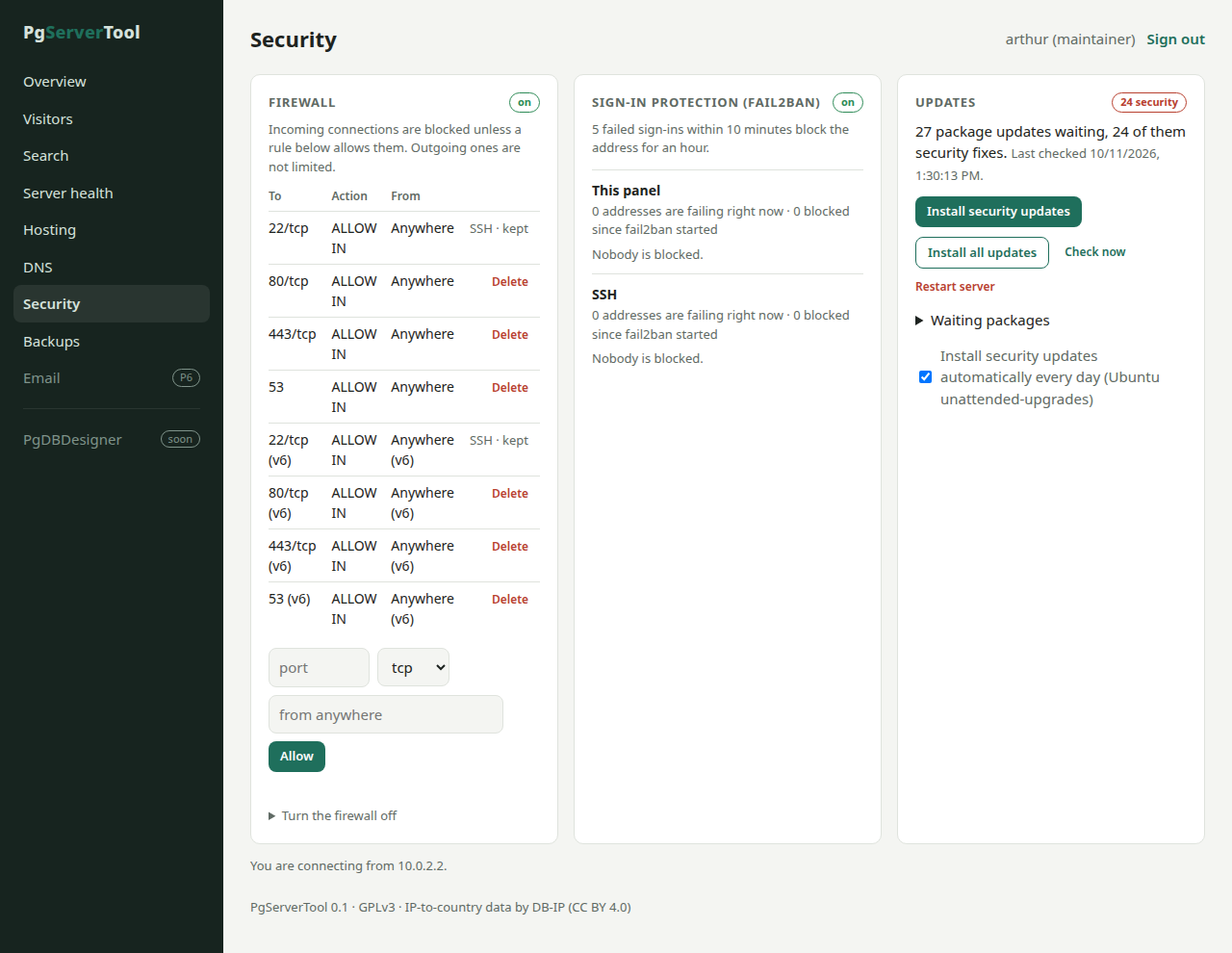
- CPU, memory, disks, network, temperature, PostgreSQL and Apache, with history and alerts to your phone (ntfy), a chat webhook or email.
- A firewall that can’t lock you out of SSH, and sign-in protection that blocks addresses guessing passwords.
- Package updates and restarts from the panel.
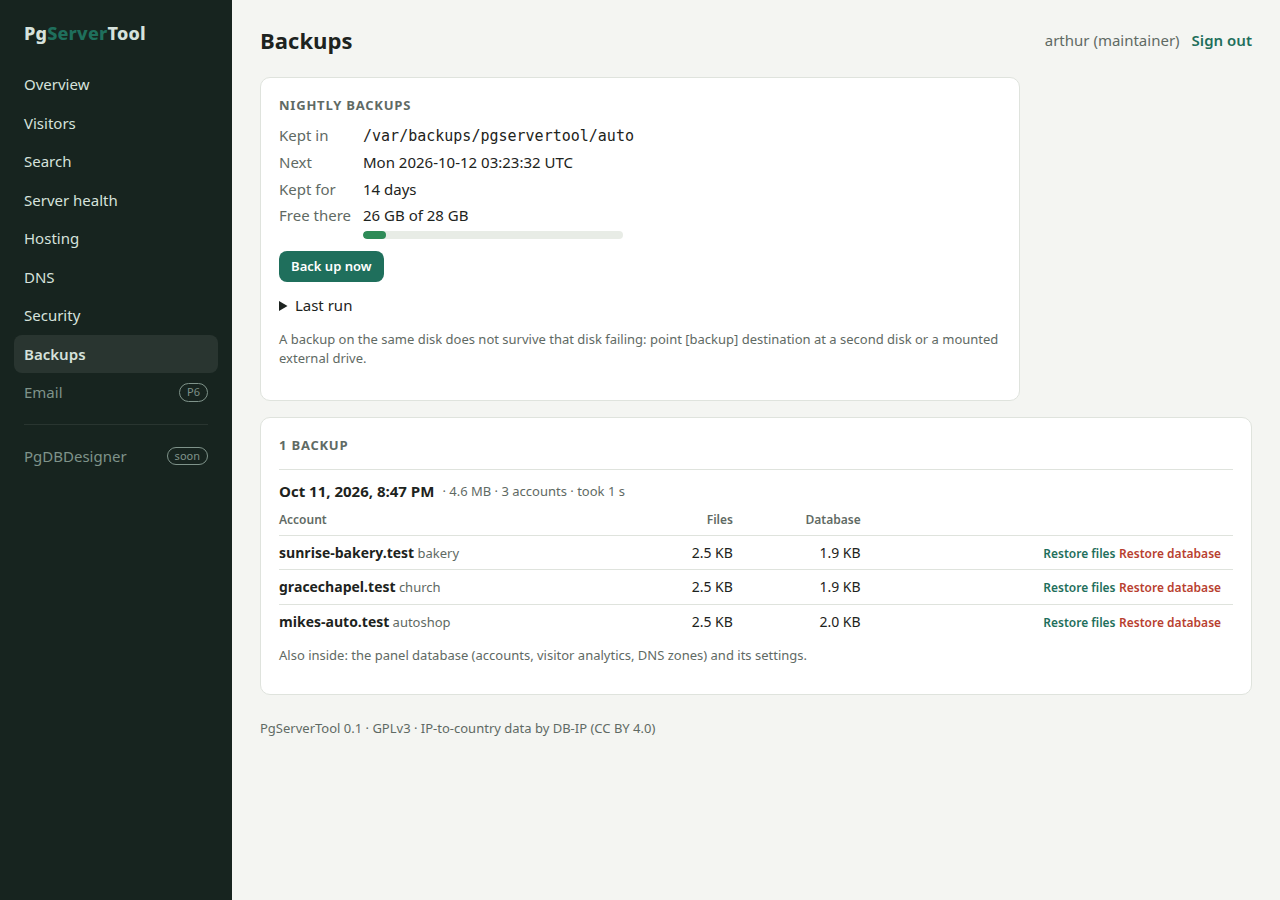
- Nightly backups of every account’s files and database, restored per account.
Not there yet
- Email hosting (it needs a static address, reverse DNS and an open port 25).
- Let’s Encrypt certificates: until then the panel uses a self-signed one.
- A second name server, which domain registrars require.
- Bing search data.
If something here matters to you, tell us: requests decide what comes next.
Install it
PgServerTool runs on a server with Ubuntu 24.04 LTS or a distribution built on it, such as Linux Mint 22. The installer itself runs on Linux Mint, Ubuntu and Arch-based desktops such as Omarchy: it installs on the computer it runs on (if that is Ubuntu-based), or on a server you reach with SSH.
- pgservertool-installer-0.1.tar.gz (59 MB): the installer, with everything it needs.
- pgservertool-0.1.tar.gz (31 MB): the server files alone, for
install.shon the server. - SHA256SUMS: checksums for both.
tar xzf pgservertool-installer-0.1.tar.gz
./pgservertool-installer-0.1/pgst-installer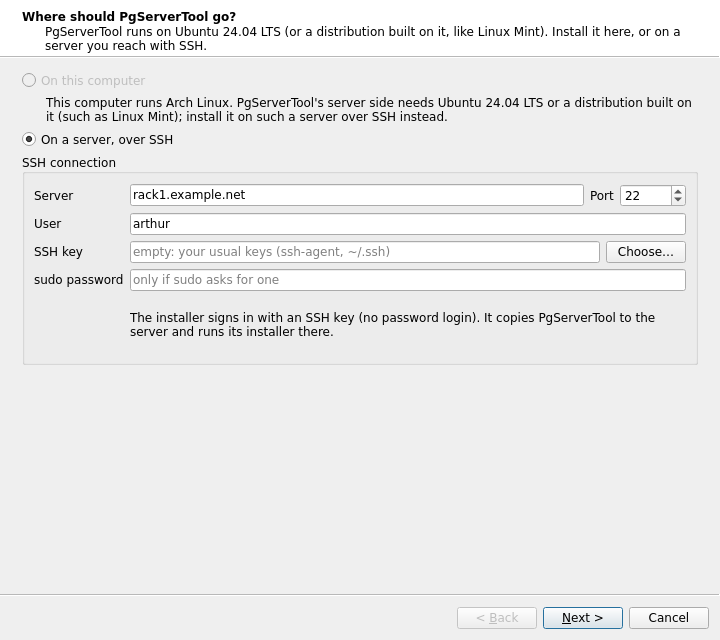
Source code
The official repository is here on JCArtes.Org. Clone it with git clone https://jcartes.org/git/pgservertool.git; the README explains how to build it (C++20, Qt 6, PostgreSQL). Licence: GNU GPL v3 or later.
Feature requests and bug reports: Support@JCArtes.Org, subject “PgServerTool feature request” or “PgServerTool bug”.
PgServerTool works alongside PgWebTool, our website engine. When the panel connects to Google Search Console, this privacy policy applies.